WORKSHOP ACTIONS
The mechanic job menu groups body deformations, parts, cosmetics, suspension, wheels, placed objects, impound, towing jobs and invoices. Use the relevant category for the work you are doing, and keep the required tools and parts available.
DIAGNOSE A VEHICLE
Vehicle condition is tracked across individual parts, fluid levels and body damage. A car can look repaired while still having a worn component. Begin with OBD2 diagnostics: carry the OBD2 scanner, sit inside the vehicle, and choose the diagnostics action in its equipment menu.
Inspect the affected system before buying upgrades. The tracked systems include engine internals, fuel and intake, belts, cooling, oil and steering systems, transmission, brakes, suspension, wheels, tires and pressure. Applicable parts depend on the vehicle type.
A mechanic can then inspect and repair the corresponding part in the workshop. The repair menu quotes its scrap requirement according to vehicle value and damage. For parts with several instances, such as wheels, choose the specific instance instead of assuming one repair fixes every corner.
BODYWORK, WHEELS AND SUSPENSION
The mechanic menu separates Body Deformations, Parts, Cosmetics, Suspension and Wheels. Select the customer's vehicle before starting work, diagnose the fault, then choose the relevant category. Cosmetic work and a parts repair solve different problems.
Suspension offers Set Height and Reset. Wheel setup includes front, rear and supported middle-wheel track and camber, plus wheel size and collision settings. Use the reset actions if an adjustment leaves the vehicle sitting or steering incorrectly.
Road cones, barriers and a toolbox are available through Place Objects to set up the work area. Finish the job and issue the agreed invoice through the mechanic billing action.
TOWING JOBS
Start a towing job from the mechanic menu and follow the indicated destination. Supported tow equipment and trailers let you transport vehicles. Align the vehicle, use the attachment prompt and check the load before moving.
IMPOUND AND RECOVER VEHICLES
At an impound location, leave the vehicle before using the impound action. The system requires a recognized owner; an unknown-owner message prevents that vehicle being processed.
To recover your vehicle, approach the recovery point and press E, choose its record and pay the displayed charge. You need enough cash and an available recovery location. An impounded car is not recovered through an ordinary garage withdrawal.
Authorized staff can use the impound terminal and service options to manage impound records. Check the plate and owner before submitting the vehicle.
BILLING CUSTOMERS
Agree on the repair or modification and issue an invoice for the completed work. The billing system records the charge for the customer. Billing · Managing a business.
EQUIPMENT AND SERVICE VEHICLES
| Icon | Item Name | Description |
|---|---|---|
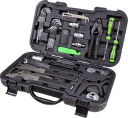 | Repair-Kit | Tool kit used to repair vehicles |
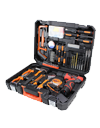 | Body Repair-Kit | Tool kit used to repair vehicle body |
 | Lockpick | Tool for picking locks |
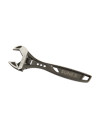 | Wrench | Tool for installing vehicle mods |
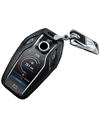 | Vehicle Keys | Remote vehicle key fob |
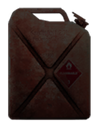 | Petrol Can | Gas can |
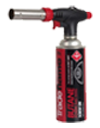 | Blowtorch | Break into a vehicle |
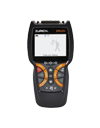 | OBD2 Scanner | Diagnose vehicle components from inside the vehicle. |
 | Tuning Tablet | Adjust vehicle tuning from the driver seat. |
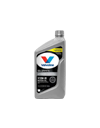 | Engine Oil | Replace engine oil through the vehicle equipment menu. |
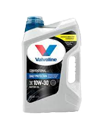 | Premium Engine Oil | Service the engine with premium oil. |
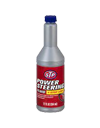 | Steering Fluid | Replace steering fluid. |
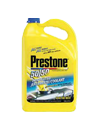 | Coolant | Replace engine coolant. |
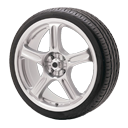 | Tire | Replace a damaged tire. |
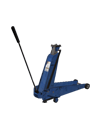 | Vehicle Jack | Place a portable jack to lift a vehicle. |
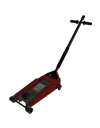 | Workshop Jack | Place a workshop jack to lift a vehicle. |
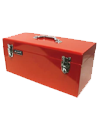 | Toolbox | Carry and place a toolbox. |
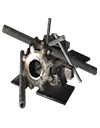 | Scraps | Repair material consumed by workshop repair actions. |
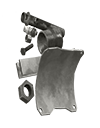 | Titanium | Additional material required by certain workshop repairs. |
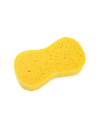 | Sponge | Clean a vehicle while standing beside it. |
 | Traffic Cone | Place a cone to mark a roadside work area. |
| Vehicle Name |
|---|
| Tow Truck |
| Flatbed Truck |
| Big Tow Truck |
| Flatbed Truck |
FLUIDS, TIRES AND ROADSIDE EQUIPMENT
Carry the appropriate supply and open the vehicle equipment menu while standing outside. Its actions include Change engine oil, Change premium oil, Change steering fluid, Change coolant and Replace tire. They appear according to the item you actually have; an OBD2 scanner and tuning tablet are used from inside instead.
A vehicle jack or workshop jack can be placed through the same equipment list. Keep enough clear space around the vehicle for the action. Replacing a tire and repairing damaged suspension or brakes are different jobs, so investigate continued handling problems after a tire change.
Use /coolant to inspect the available coolant check. Fluid service does not replace every damaged component: persistent symptoms need a workshop diagnosis.
REPLACE A BURST TIRE
Carry a tire, stand beside the affected wheel and select Replace tire from the vehicle equipment menu. The action looks for the closest burst tire on that vehicle. Wait five seconds for the replacement; one tire item is consumed.
Stay outside and close to the selected vehicle. Walking too far away or entering it cancels the targeted replacement. A replacement tire fixes the burst wheel, not the engine, suspension or body damage.
Removing a wheel is a separate action that leaves it unusable and returns a tire item. Slashing the nearest tire through the vehicle interaction menu damages it instead of performing a repair.
REPAIR, INSTALL AND UPGRADE INDIVIDUAL PARTS
Open the vehicle parts menu and select the component you want to work on. Repair restores condition; Upgrade changes its specification. For a group of components, select the individual part before proceeding. The menu quotes the material cost for that vehicle and its current wear.
Carry a repair kit and the quoted scraps. Repairs to parts below 75% condition require a workshop; eligible less-damaged parts can be repaired outside one. Move to the indicated working position and complete the repair action. Fixing body deformation is separate from repairing the individual mechanical parts.
Missing turbo and armor equipment has an Install option with a cash price. Installation requires a workshop and a repair kit. An upgrade menu instead lists Stock and the available levels, marking previously purchased levels Owned and the active level Installed. Check both labels before spending materials.
Compatible components offer specialist options such as drift setup, manual transmission, air suspension, wheel camber, track, size and collision adjustments. Availability depends on the component. Use the quote shown in the menu: costs scale with vehicle value and the selected upgrade.
